
JS ESLint 配置指南
建立本文档的目的,在于 eslint 规则在v9后启用了扁平化配置规则,
以及越来越多的规则插件,让各位前端工程师愈发分不清该用什么,不该用什么,
更重要的是现在的规则有了排序,如果导入插件的顺序不对,则白费一番功夫
基于此, 我打算创建一系列 eslint 相关的文档,
适配 typescript、vue、react(可能需要L友共建,我不会react),
为保证文档不致于过长,增加阅读负担, 每一项都分开建立,
本篇为原生JS规则篇,方便在原生项目或者NodeJS项目中使用
现代插件介绍
TIP
本人承诺介绍的插件都是现代流行插件,全部支持扁平化配置
WARNING
同时不推荐使用 eslint 做格式化相关操作,eslint官方已经废弃所有格式化规则
| 包名 | 主要作用 |
|---|---|
| eslint-plugin-import | 检查 import/export 语法是否正确 |
| eslint-plugin-unicorn | 由社区大神 sindresorhus 维护的「现代最佳实践」合集,目前 290+ 条规则,基本全是 2020~2025 年新推荐写法 |
| eslint-plugin-promise | 专门针对 Promise 的最佳实践 |
| eslint-plugin-unused-imports | 目前最好用的「检测 + 自动删除」未使用 import 的插件,比 ESLint 内置 no-unused-vars 快 10 倍、准 100% |
| eslint-plugin-perfectionist | 超级强大的 import、export、对象属性、class、member 排序插件, 支持自然排序、分组、自定义顺序 |
| @eslint/js | ESLint 官方自己出的规则集合(相当于内置规则的精选版),包含所有 recommended 规则 |
安装
shell
pnpm add -D eslint eslint-plugin-unused-imports \
eslint-plugin-import eslint-plugin-unicorn \
eslint-plugin-promise eslint-plugin-perfectionist \
@eslint/jsWARNING
如果你的项目是 monorepo 项目, 安装库不要忘记 -w 也就是 pnpm add -Dw
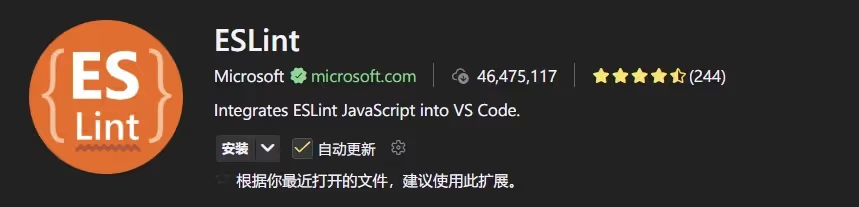
同时需要安装插件 Eslint 点我安装
配置
在项目根目录中,创建文件 eslint.config.js,配置如下:
js
// eslint.config.js
import js from "@eslint/js";
import imports from "eslint-plugin-import";
import perfectionist from "eslint-plugin-perfectionist";
import promise from "eslint-plugin-promise";
import unicorn from "eslint-plugin-unicorn";
import unusedImports from "eslint-plugin-unused-imports";

export default [
  // 1. 官方推荐的核心规则(必须最先)
  js.configs.recommended,

  // 2. unicorn(包含大量 recommended 规则,建议第二位)
  unicorn.configs["recommended"],

  // 3. import 插件(路径检查、重复导入等,要在 perfectionist 之前)
  {
    plugins: {
      import: imports,
    },
    rules: {
      ...imports.configs.recommended.rules,
      // 关闭与 perfectionist 冲突的排序规则(perfectionist 更强)
      "import/order": "off",
    },
    settings: {
      "import/resolver": {
        node: { extensions: [".js", ".mjs", ".cjs"] },
      },
    },
  },

  // 4. promise 插件(规则很少,放中间就行)
  promise.configs["flat/recommended"],

  // 5. perfectionist(排序神器,必须在 import 之后!)
  {
    plugins: {
      perfectionist,
    },
    rules: {
      "perfectionist/sort-imports": [
        "warn",
        {
          type: "natural", // 排序算法
          order: "asc", // 排序方向
          // 分组顺序: Node内置➡ 第三方依赖➡ 项目内部别名➡ 父级目录➡ 同级目录➡ 当前目录index➡ 对象导入➡ 类型导入➡ 无法识别导入
          groups: [
            "builtin",
            "external",
            "internal",
            "parent",
            "sibling",
            "index",
            "object",
            "type",
            "unknown",
          ],
        },
      ],

      "perfectionist/sort-exports": "warn", // 导出排序 export { apple, banana, zebra }
      "perfectionist/sort-named-exports": "warn", // 导出排序 export { a, m, z } from './module'
    },
  },

  // 6. unused-imports(必须放最后!因为它依赖前面的解析结果来判断“是否真的没用”)
  {
    plugins: {
      "unused-imports": unusedImports,
    },
    rules: {
      "unused-imports/no-unused-imports": "error",
      // 可选:连未使用的变量也一起管(比内置 no-unused-vars 更快更准)
      "unused-imports/no-unused-vars": "error",
      "no-unused-vars": "off", // 关闭内置的,防止重复报错
    },
  },

  // 7. 可选:一些个人常用微调(可以全部复制)
  {
    languageOptions: {
      globals: {
        // Node.js 全局变量
        console: "readonly",
        process: "readonly",
        Buffer: "readonly",
        __dirname: "readonly",
        __filename: "readonly",
        global: "readonly",
        module: "readonly",
        require: "readonly",
        exports: "readonly",
      },
    },
    rules: {
      // unicorn 里个别对纯后端太严格的规则可以关掉
      "unicorn/filename-case": "off",

      // 后端常见放宽
      "no-console": "off", // 方便调试
      "no-underscore-dangle": "off", // 允许下划线命名 如 __dirname
    },
  },
];同时需要在编辑器(这里以vscode为例)的设置中添加以下配置,以达到自动修复的目的
json
  "eslint.enable": true,
  "editor.codeActionsOnSave": {
    "source.fixAll.eslint": "explicit"
  },
"eslint.codeActionsOnSave.mode": "problems",插件周下载量(2025年11月18日)
- eslint-plugin-unused-imports: 4,967,752
- eslint-plugin-import: 32,590,009
- eslint-plugin-unicorn: 4,752,987
- eslint-plugin-promise: 5,303,551
- eslint-plugin-perfectionist: 1,169,778
- @eslint/js: 55,530,414
更新内容
- 2025年11月18日: 新增nodeJS环境中的全局变量声明
📌 评论规则
需要 GitHub 账号登录 禁止发布广告、无关内容 请保持友善讨论